
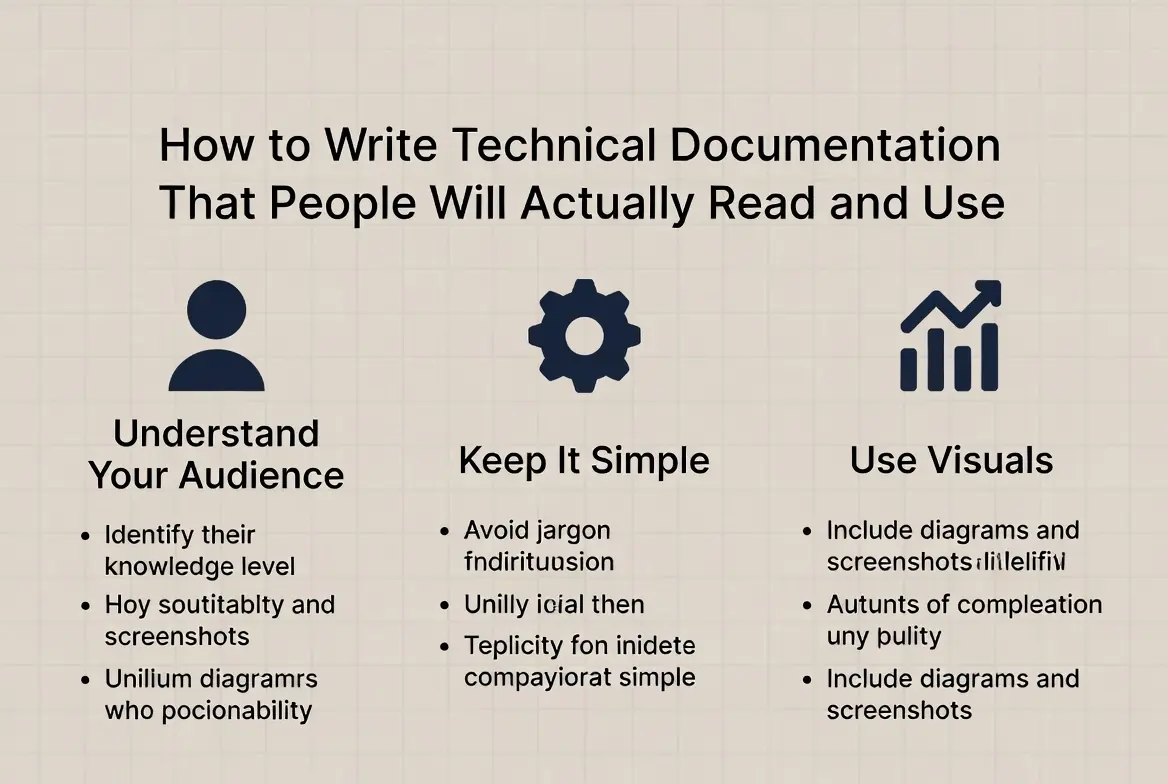
In the modern digital world, every product, platform, and software system depends on clear communication. Yet one critical element often gets overlooked: technical documentation. Whether it’s a user guide for a mobile app, developer instructions for an API, or onboarding materials for enterprise software, documentation plays a vital role in how people understand and use technology.
Unfortunately, much of the technical documentation available today suffers from a common problem—it’s written for machines, not for humans.
Users frequently encounter documentation that is overly complicated, poorly structured, or missing crucial explanations. Instead of helping users solve problems, it creates confusion, frustration, and support tickets.
The truth is simple: good technical documentation is not just about explaining a product—it’s about guiding people toward success.
This article explores how to write technical documentation that people actually read, understand, and rely on, combining practical writing strategies, real-world examples, and modern documentation principles used by leading technology companies.
Why Technical Documentation Matters More Than Most Teams Realize
Before learning how to write effective documentation, it’s important to understand why it matters so much.
Technical documentation is often the first place users go when they need help. It becomes the silent assistant guiding them through tasks, solving issues, and teaching them how to use a system.
Well-written documentation can:
- Reduce customer support requests
- Improve user onboarding
- Increase product adoption
- Build trust in your product
- Help teams collaborate internally
- Speed up developer integration
Poor documentation, on the other hand, leads to confusion and lost productivity.
Many organizations spend millions building products but very little explaining them clearly. As a result, users struggle to understand tools that could otherwise transform their workflow.
Effective documentation bridges that gap.
What Exactly Is Technical Documentation?
At its core, technical documentation is structured written content that explains how a product, system, or process works. It can exist in many forms depending on the audience and purpose.
Common types include:
User Documentation
Written for end users who need guidance using a product.
Examples:
- User manuals
- How-to guides
- Tutorials
- FAQs
- Troubleshooting guides
Developer Documentation
Designed for programmers integrating or building with a product.
Examples:
- API documentation
- SDK guides
- Code examples
- Integration instructions
Process Documentation
Used internally to explain workflows or procedures.
Examples:
- Standard operating procedures (SOPs)
- Internal system documentation
- Technical architecture documentation
Product Documentation
Provides a deeper overview of product functionality.
Examples:
- Feature explanations
- System design documentation
- Release notes
Each type serves a different audience, but the goal remains the same: clarity and usability.
Why Most Technical Documentation Fails
If documentation is so important, why is so much of it poorly written?
The answer lies in several common mistakes.
Writing for Experts Instead of Users
Many documentation writers are engineers or subject matter experts who assume readers already understand the context.
But most users do not.
Good documentation explains concepts without assuming prior knowledge.
Information Without Structure
Another major issue is organization.
Some documentation simply lists information without a clear flow. Users must search through paragraphs to find what they need.
Effective documentation uses:
- Clear headings
- Logical structure
- Step-by-step instructions
- Scannable formatting
Readers should be able to find answers quickly, not read an entire article.
Too Much Technical Jargon
Technical language is sometimes necessary, but excessive jargon can make documentation unreadable.
For example:
Poor explanation:
The system utilizes asynchronous microservice orchestration to handle request pipelines.
Better explanation:
The system processes requests in the background so users don’t have to wait for each step to finish.
Clear communication should always come first.
Lack of Real Examples
People learn best through practical examples.
Documentation without examples often leaves users unsure how to apply instructions.
For instance:
- Code snippets help developers understand APIs.
- Screenshots guide users through interfaces.
- Real use cases demonstrate how features work.
Start With the Reader, Not the Product
One of the most effective strategies for writing technical documentation is to focus on the reader’s goals instead of the product’s features.
Ask yourself:
- What problem is the user trying to solve?
- What knowledge level do they have?
- What questions will they ask first?
Good documentation answers real user questions.
For example:
Instead of writing a section called:
System Authentication Protocol
Try something like:
How Do You Log In to the Platform for the First Time?
The second approach aligns with user intent.
Read: 10 Journaling Techniques to Help You Make it a Habit in 2026
Writing Documentation That Feels Clear, Not Mechanical
One reason many documentation pages go unread is that they sound robotic. Technical writing doesn’t have to be boring. Here are ways to make documentation more readable.
Use Natural Language
Write the way you would explain something to a colleague.
For example:
Instead of:
Execute the installation procedure.
Say:
Install the software using the following steps.
Keep Sentences Concise
Long sentences make instructions harder to follow.
Short, direct sentences improve clarity.
Break Down Complex Processes
Large tasks should be divided into smaller steps.
For example:
Instead of
A long paragraph explaining a process.
Use
- Step-by-step instructions
- Subheadings
- Visual examples
This approach reduces cognitive overload.
The Hidden Power of Structure in Technical Documentation
Good documentation is not just about writing—it’s also about information architecture.
A well-structured document helps readers quickly navigate content.
Effective documentation often includes:
- Introduction
- Task-based sections
- Examples
- Troubleshooting
- FAQs
Clear structure allows readers to jump directly to the section they need.
Should Documentation Teach or Just Explain?
This is a common debate in the documentation world. The best documentation does both. There are three main content styles used in modern documentation:
Tutorials
Step-by-step instructions for beginners.
Example:
“How to set up your first server.”
How-To Guides
Task-based instructions for specific goals.
Example:
“How to reset your password.”
Reference Documentation
Detailed technical information for advanced users.
Example:
API parameter descriptions.
Combining these formats ensures documentation works for all experience levels.
How Visual Elements Improve Technical Documentation
Even the best-written instructions can become confusing without visuals.
Modern documentation often includes:
- Screenshots
- Diagrams
- Code examples
- Tables
- Flowcharts
Visuals help users process complex information quickly.
For example:
A simple architecture diagram can explain a system faster than multiple paragraphs.
The Role of Documentation in Developer Experience
In the developer community, documentation quality often determines whether a product succeeds.
Developers evaluate tools based on:
- API clarity
- Code examples
- Quick start guides
- Integration instructions
If documentation is confusing, developers abandon the tool.
Many successful platforms prioritize developer documentation, including:
- Interactive code samples
- Sandbox environments
- Clear SDK tutorials
This approach improves adoption and community growth.
Keeping Documentation Updated: The Most Overlooked Challenge
One of the biggest problems with documentation is outdated information. Products evolve constantly. Features change, interfaces update, and APIs get modified. When documentation does not reflect those changes, users quickly lose trust.
Best practices for maintaining documentation include:
- Updating documentation during product releases
- Assigning documentation ownership
- Using version control systems
- Conducting periodic audits
Documentation should evolve alongside the product.
How Leading Tech Companies Approach Documentation
Successful technology companies treat documentation as a core product component, not an afterthought.
Their documentation strategies often include:
Dedicated Documentation Teams
Specialized writers who collaborate with engineers.
User Feedback Loops
Allowing users to suggest improvements.
Searchable Knowledge Bases
Helping users find answers quickly.
Continuous Improvement
Documentation updates with every product release.
This mindset ensures documentation remains accurate and useful.
Practical Tips for Writing Technical Documentation
For teams looking to improve their documentation, these practical techniques can make a significant difference.
Start With a Clear Objective
Every document should answer a specific question or solve a problem. Avoid vague documentation.
Use Real Scenarios
Explain how users apply the feature in real situations.
Example:
Instead of explaining a tool generically, show how a business or developer uses it.
Test Documentation With Real Users
The best way to evaluate documentation is to watch someone use it.
If readers struggle to follow instructions, the content needs improvement.
Focus on Scannability
Many users skim documentation rather than reading it fully.
Use:
- bullet points
- numbered steps
- short paragraphs
- descriptive headings
This allows readers to locate answers quickly.
The Future of Technical Documentation in 2026 and Beyond
Documentation is evolving rapidly as technology becomes more complex. Several trends are shaping its future.
Interactive Documentation
Instead of static text, many platforms now include:
- interactive code editors
- live API testing
- guided walkthroughs
This helps users learn by doing.
AI-Assisted Documentation
Artificial intelligence tools are helping teams generate, update, and translate documentation faster. However, human editing remains essential for accuracy and clarity.
Embedded Help Systems
Many applications now integrate documentation directly into the product interface. This allows users to access help exactly when they need it.
How to Know If Your Technical Documentation Is Working
Effective documentation produces measurable results.
Key indicators include:
- Reduced support requests
- Faster onboarding times
- Increased product usage
- Positive user feedback
If users consistently rely on documentation to solve problems independently, the documentation is doing its job.
Final Thoughts
Technical documentation is far more than a support resource—it’s a critical part of the user experience. When written thoughtfully, documentation empowers users, reduces confusion, and builds confidence in a product. It becomes a trusted guide that helps people achieve their goals without frustration.
The most effective documentation does not overwhelm readers with complexity. Instead, it translates technical knowledge into clear, practical guidance that anyone can follow.
Organizations that treat documentation as a core product feature—not an afterthought—consistently create better experiences for users, developers, and teams alike.
In an increasingly complex technological landscape, clear documentation isn’t optional—it’s essential.
FAQs
What is technical documentation?
Technical documentation is written content that explains how a product, system, or process works. It helps users understand, use, and troubleshoot technology effectively.
Why is technical documentation important?
It improves user experience, reduces support costs, speeds up onboarding, and helps teams communicate technical information clearly.
Who writes technical documentation?
Technical documentation is typically written by technical writers, engineers, product managers, or documentation specialists who understand both the technology and the audience.
What makes technical documentation easy to read?
Clear language, logical structure, examples, visuals, and step-by-step instructions all make documentation easier to understand.
How long should technical documentation be?
There is no fixed length. Documentation should be as long as necessary to explain the topic clearly without overwhelming the reader.
What tools are used to create documentation?
Common tools include documentation platforms, markdown editors, knowledge base systems, and version control tools.
How often should documentation be updated?
Documentation should be updated whenever product features change, new functionality is added, or existing processes are modified.
What is the difference between a tutorial and a reference guide?
A tutorial teaches users step-by-step how to complete a task, while a reference guide provides detailed technical information about a system or feature.
Can technical documentation improve product adoption?
Yes. Clear documentation helps users understand and use a product more easily, which increases adoption and satisfaction.
Is technical documentation only for developers?
No. Documentation can serve many audiences, including end users, developers, administrators, and internal teams.
Leave a Reply